From live chat to a winner
No streamer login is needed. Select a platform, paste the active livestream URL, choose a keyword, and open the collector.
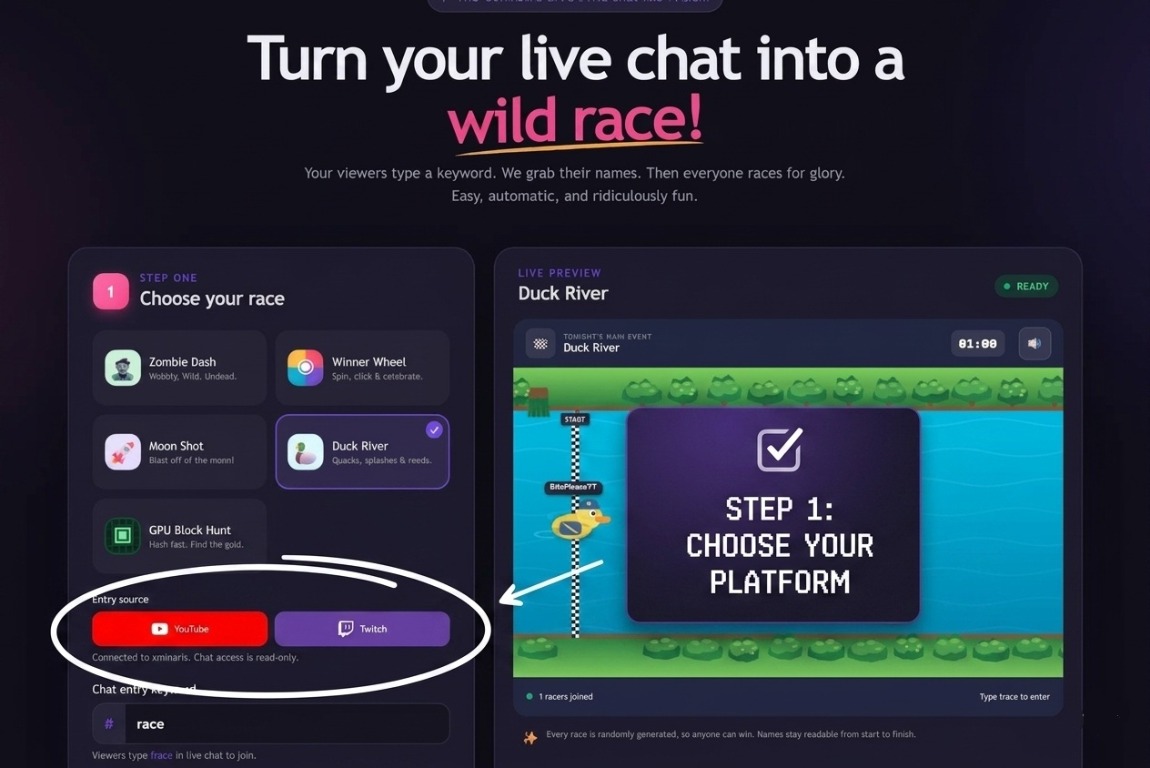
Choose YouTube or Twitch
Under Entry source, select the platform carrying your livestream. The controls change to that platform’s colors so you can confirm the selection.
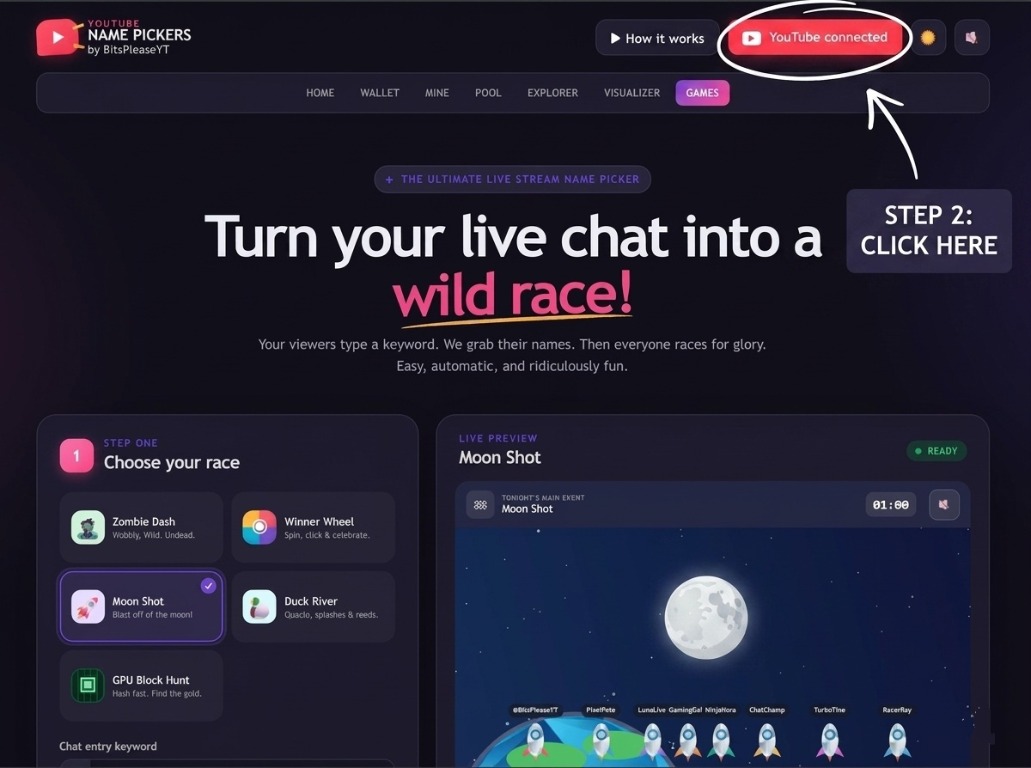
Open the stream connection
Click the colored Connect YouTube or Connect Twitch button at the top. Returning users can click the connected button to choose a different livestream.
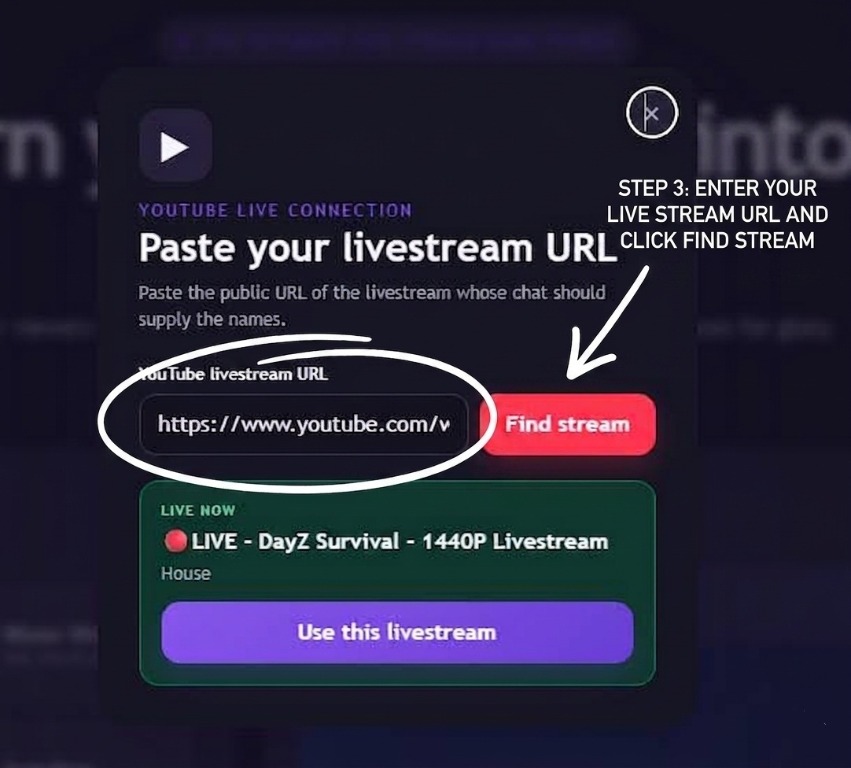
Paste the active livestream URL
Paste the public YouTube or Twitch URL and click Find stream. Confirm the live stream, then click Use stream and start collecting. The site never asks the streamer or visitors to sign in.
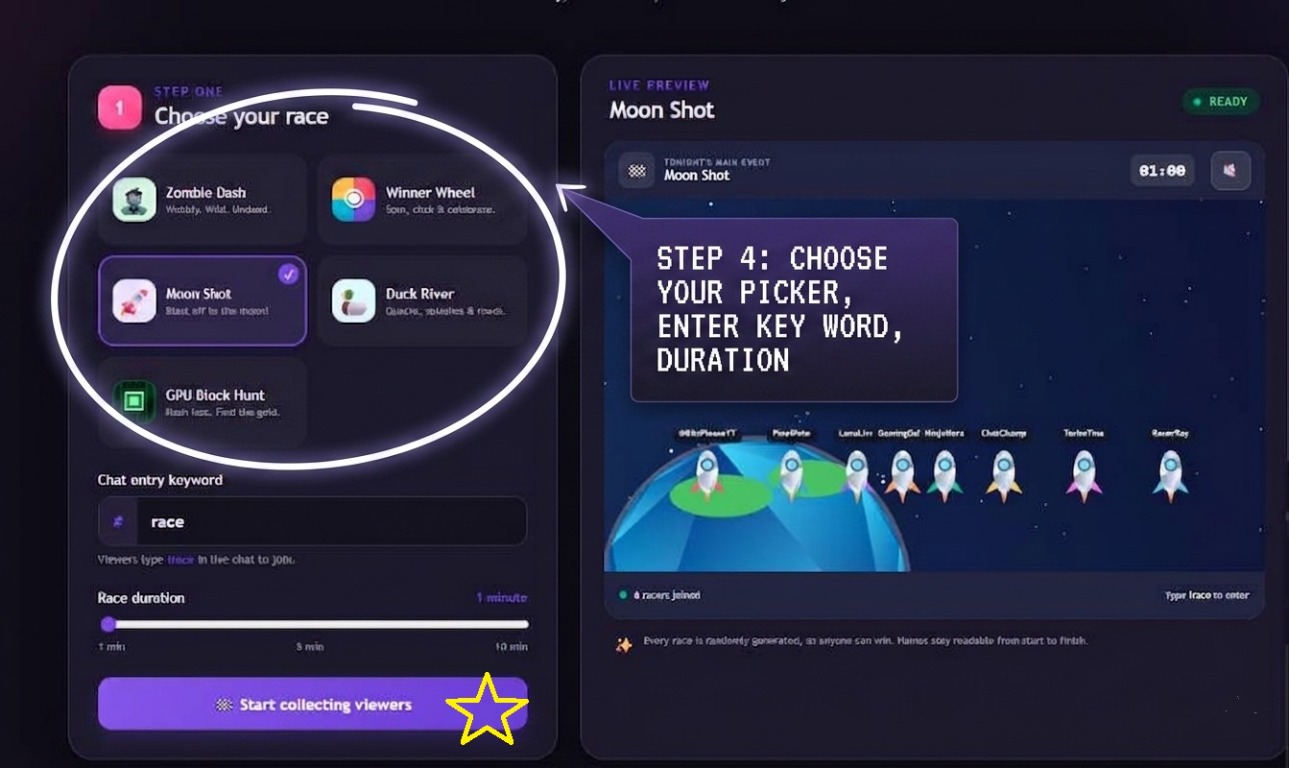
Set the game, keyword, and duration
Pick a race or the Winner Wheel, enter the word viewers should type, and choose the game duration.
- Viewers must type the displayed keyword, such as !race.
- Each platform account can enter only once per collection.
- If the collector is not already open, click Start collecting viewers now.
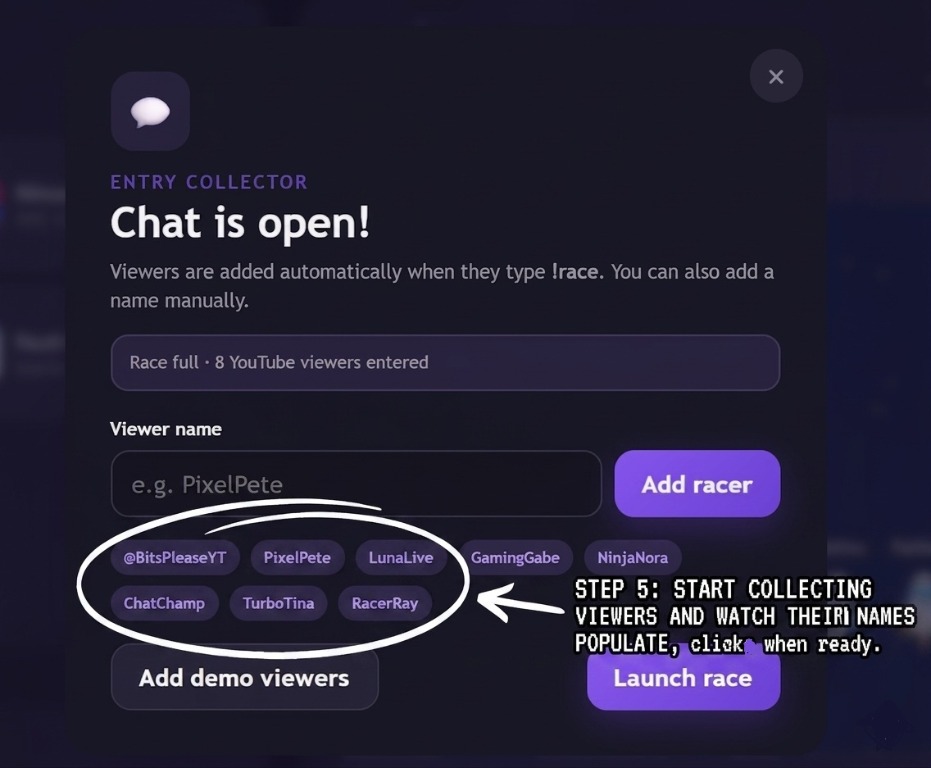
Watch names appear, then launch
Keep the Chat is open! collector open while viewers type the keyword. Their names appear automatically. When at least two names are present, click Launch race or Spin wheel.
- Remove all starts a fresh empty list.
- You can add a viewer manually if needed.
- Repeated keyword messages do not create duplicate entries.